Understanding Scheduler Rules
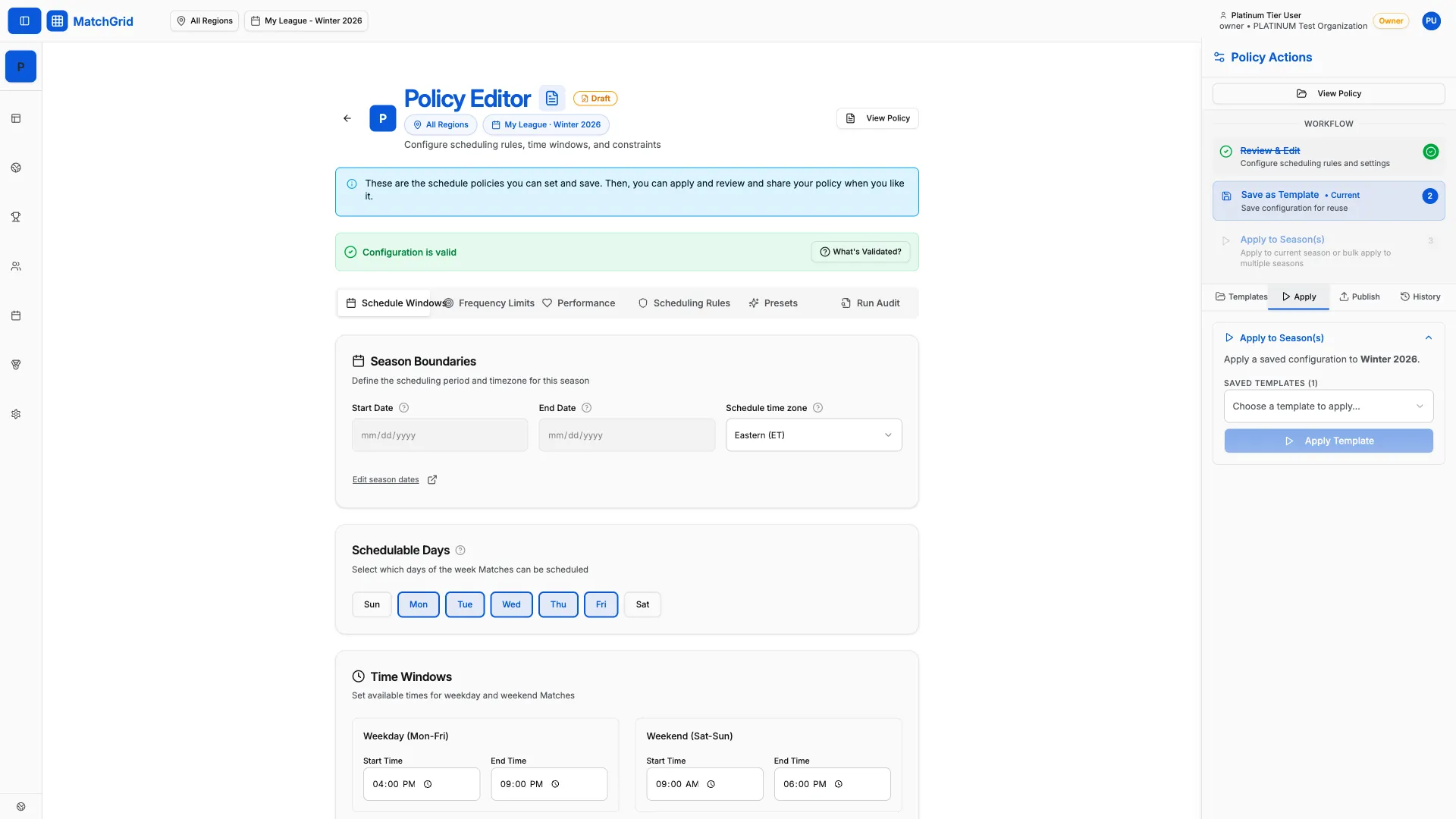
This reference documents all active scheduler rules in MatchGrid. Rules apply to the currently selected season and control how the scheduler generates and validates matches.
[!INFO] Rules are tier-gated. Higher tiers unlock more configuration options. See the Tier column in each table.
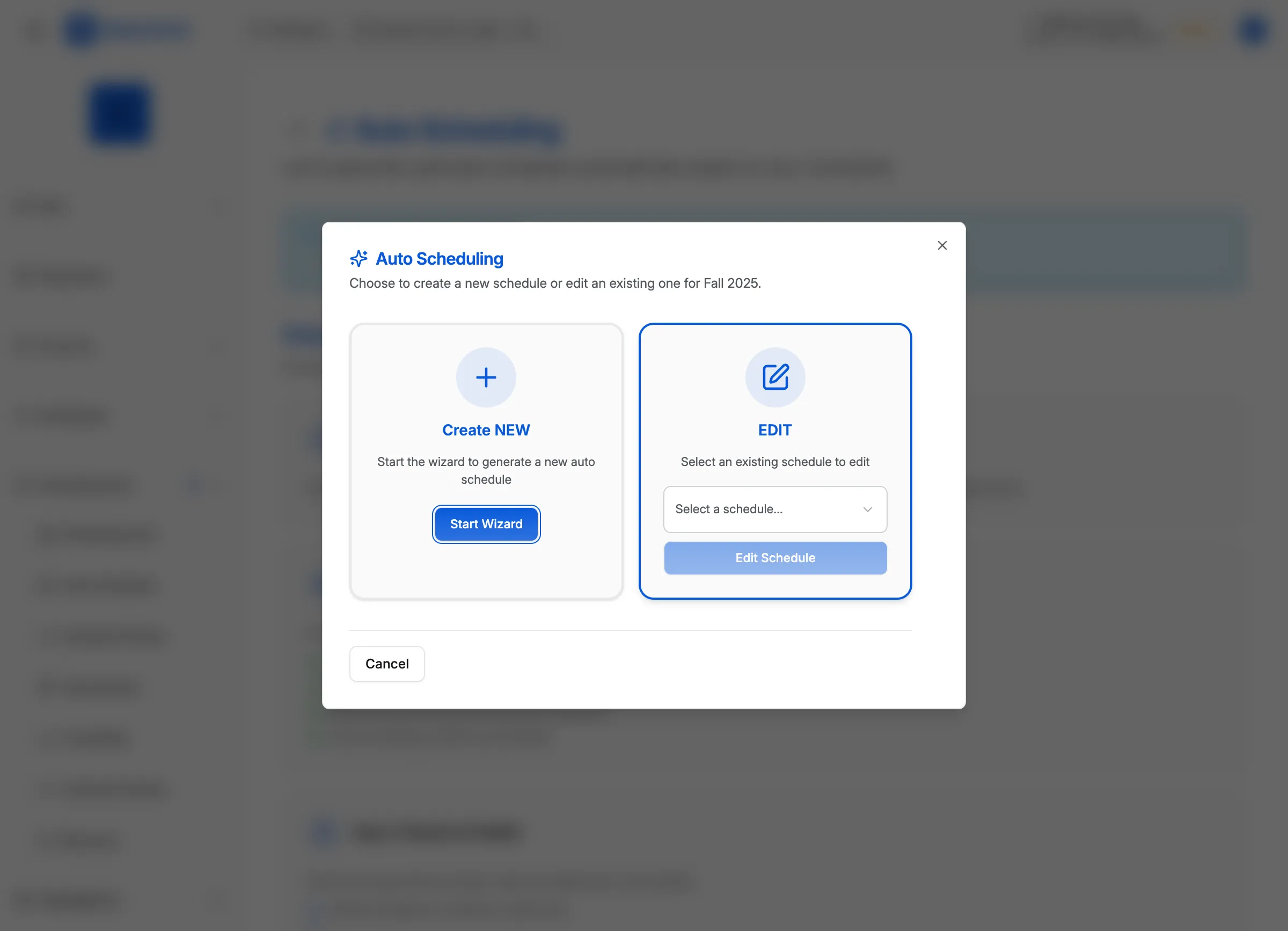
Rule enforcement types
Rules enforce constraints at different levels:
| Type | Behavior |
|---|---|
| Hard | Blocks scheduling if violated — no exceptions |
| Soft | Applies a penalty but allows scheduling if necessary |
| Optimization | Affects slot scoring to prefer better options |
Time & Density Rules
Control how many matches teams can play and rest requirements.
| Rule | Description | Default | Tier |
|---|---|---|---|
| Enforce Max Per Day | Block assignment if team exceeds daily limit | On | Bronze |
| Max Matches Per Day | Maximum matches a team can play in one day | 2 | Bronze |
| Enforce Max Per Week | Block assignment if team exceeds weekly limit | On | Bronze |
| Max Matches Per Week | Maximum matches per team per week (Sun–Sat) | 5 | Bronze |
| Min Rest Hours | Minimum hours required between matches | 24 | Bronze |
[!TIP] Start with conservative limits (1 per day, 3 per week) for youth leagues. See Configuring Scheduler Settings to adjust these values.
Travel Rules
Control travel distance limits for away games.
| Rule | Description | Default | Tier |
|---|---|---|---|
| Enforce Travel As Hard | Reject matches exceeding travel limits | Off | Silver |
| Travel Tolerance Miles | Buffer miles allowed beyond limit | 10 | Bronze |
| Max Travel Distance | Default travel limit in miles | 50 | Silver |
| Prefer Regional Matches | Prioritize scheduling within same region | On | Gold |
When Enforce Travel As Hard is enabled, matches exceeding the limit are marked as unschedulable with reason TRAVEL_EXCEEDED.
Blackout Rules
Control how the scheduler respects unavailable periods.
| Rule | Description | Default | Tier |
|---|---|---|---|
| Respect Hard Blackouts | Never schedule during hard blackout periods | On | Bronze |
| Respect Soft Blackouts | Avoid soft blackouts but allow if necessary | On | Bronze |
Hard blackouts (holidays, facility closures) are absolute blocks. Soft blackouts (team preferences) apply a penalty but permit scheduling when no alternatives exist.
Fairness Rules
Balance workloads and game times across teams.
| Rule | Description | Default | Tier |
|---|---|---|---|
| Avoid Triple Headers | Prevent 3+ games in a single day | On | Bronze |
| Late Slot Threshold | Time after which slots are “late” (HH:MM) | 19:00 | Bronze |
| Avoid Back-to-Back Days | Penalize games on consecutive days | On | Silver |
| Enable Home/Away Balancing | Balance home vs away games per team | On | Gold |
| Spread Across Weekdays | Distribute games evenly across days | On | Gold |
| Avoid Late Slots for Youth | Prioritize earlier times for younger divisions | On | Gold |
Classification Rules
Configure scheduling behavior by team classification (Varsity, JV, etc.).
| Rule | Description | Default | Tier |
|---|---|---|---|
| Classification Late Thresholds | Per-classification “late” time thresholds | — | Bronze |
| Same-Day Classifications | Schedule JV+Varsity from same club on same day | Off | Gold |
| Invert Classification Order | JV plays before Varsity in doubleheaders | Off | Gold |
Match Structure Rules
Define how matches are generated for the season.
| Rule | Description | Default | Tier |
|---|---|---|---|
| League Match Plan | EACH_OPPONENT_ONCE, HOME_AND_HOME, or CUSTOM | HOME_AND_HOME | Gold |
| League Game Model | HEAD_TO_HEAD (volleyball) or EVENT_BASED (swimming) | HEAD_TO_HEAD | Gold |
| Max Rounds | Number of complete matchup cycles (1–20) | 2 | Gold |
| Custom Matchup Rules | Games per team, series length, protected rivals | — | Gold |
[!INFO] Match structure rules determine which matches are generated. Time/density rules determine when they’re scheduled.
Quality Weights
Adjust the relative importance of different scheduling factors (0–10 scale).
| Weight | Description | Default | Tier |
|---|---|---|---|
| Weight: Travel | Importance of minimizing travel distance | 5 | Gold |
| Weight: Back-to-Back | Importance of avoiding consecutive days | 3 | Gold |
| Weight: Late Slot | Importance of avoiding late times | 2 | Gold |
| Weight: Soft Blackout | Importance of respecting soft blackouts | 4 | Gold |
| Weight: Home/Away Balance | Importance of balanced home/away | 5 | Gold |
| Weight: Availability | Bonus for matching team preferences | 2 | Free |
Higher weights make the scheduler work harder to satisfy that constraint. A weight of 0 disables the constraint.
Conference Rules
For leagues using conference-based scheduling (Platinum tier).
| Rule | Description | Default | Tier |
|---|---|---|---|
| Balance Conference Home Games | Equalize home games across conferences | On | Platinum |
Practice Scheduling Rules
Control automatic practice generation (Silver+ tiers).
| Rule | Description | Default | Tier |
|---|---|---|---|
| Practice Scheduling Enabled | Master toggle for practice features | Off | Silver |
| Auto-Generate Practices | Create practices when running scheduler | Off | Silver |
| Practice Duration | Default practice length (minutes) | 90 | Silver |
| Practice Buffer | Rest time after practice (minutes) | 15 | Silver |
| Weekday Start/End Time | Allowed practice window on weekdays | 16:00–20:00 | Silver |
| Weekend Start/End Time | Allowed practice window on weekends | 09:00–18:00 | Silver |
| Preferred Days | Days to prioritize for practices | Tue, Thu | Silver |
| Respect Hard Blackouts | Never schedule practice during blackouts | On | Silver |
| Max Practice Travel | Travel limit for practices (miles) | 25 | Gold |
| Practice-Match Separation | Hours required between practice and match | 4 | Gold |
| Allow Practice on Match Day | Permit practice same day as match | Off | Gold |
System Controls
Master toggles that enable scheduler features.
| Rule | Description | Default | Tier |
|---|---|---|---|
| Auto-Scheduling Enabled | Master switch for the auto-scheduler | On | Gold |
| Conflict Management Enabled | Enable conflict detection for manual scheduling | On | Bronze |
Tier summary
| Tier | Rules Available |
|---|---|
| Free | Manual scheduling only |
| Bronze | Time density, blackouts, basic fairness, conflict detection |
| Silver | Travel enforcement, back-to-back avoidance, classification windows, practice scheduling |
| Gold | Auto-scheduler, match structure, weights, advanced fairness |
| Platinum | Conference-based scheduling, AI clustering |
What’s next
- Configuring Scheduler Settings — Learn how to access and edit these rules
- Saving Scheduler Policies — Save your configuration as a policy
- Publishing a Scheduler Policy — Activate your policy for the season